
There is a common misconception among new website owners that security for a WordPress site is a “set it and forget it” checkbox. You install a plugin, a little green shield appears in your dashboard, and suddenly you are invisible to the hackers of the world.
If only it were that simple.
The reality is that WordPress powers approximately 43% of the internet, making it the largest target on the planet. For hackers, your site isn’t just a collection of blog posts; it’s a potential node in a botnet, a vessel for SEO spam, or a treasure trove of customer data. Choosing from the best WordPress security plugins isn’t about finding the one with the most security features or complex functionality; it’s about choosing the right philosophy of website security for your specific needs.
Why WordPress Security Is More Than Just a Plugin
Imagine your website is a high-end art gallery. A security plugin is like the guard at the door. He’s essential, but he can’t do much if the back window is unlocked, the roof is caving in, or the gallery owner is handing out keys to strangers on the street.
The Reality of the WordPress Threat Landscape
Most attacks on WordPress aren’t personal. You aren’t being targeted by a “hacker” in a hoodie who has a grudge against your gardening blog. Instead, you are being targeted by automated scripts, bots, that roam the internet looking for known vulnerabilities. They look for outdated versions of a specific slider plugin or weak passwords like “password123.”
These bots are relentless. They don’t sleep, and they don’t get bored. If you have a vulnerability, they will eventually find it. This is why “security by obscurity” (hoping no one finds your site) is a failing strategy.
The “Layered Defence” Philosophy
Experts don’t rely on a single line of defence. They use what we call “Defence in Depth.” This means if one layer fails, another is there to catch the threat.
- Layer 1: The Hosting Environment (The foundation of the building).
- Layer 2: The Firewall (The perimeter fence).
- Layer 3: Site Hardening (Locking the internal doors).
- Layer 4: Monitoring and Backups (The security cameras and the insurance policy).
A plugin usually handles layers two and three, but as we’ll see, how they handle them makes all the difference.
How We Evaluated the Winners (Our Expert Criteria)
To separate the marketing hype from actual protection, we evaluated these plugins based on four non-negotiable pillars.
Firewall Effectiveness (WAF)
The Web Application Firewall (WAF) is your first line of defence. It inspects incoming traffic and decides who gets in and who gets blocked. We look for “intelligence”: Does the firewall update its rules in real-time as new threats emerge, or does it wait for a weekly update?
Malware Scanning and Removal
If a thief does get inside, how quickly can you find them? A great security plugin should provide robust malware detection by scanning your files and database for malicious code. But scanning is only half the battle. We also look at how easy it is to clean the site once an infection is found.
Performance Impact and “Bloat”
Security shouldn’t come at the cost of speed. Some plugins are “heavy,” meaning they run intense processes on your server that can slow down your site for legitimate visitors. We favor plugins that are either highly optimized or offload the heavy lifting to the cloud.
Ease of Recovery and Support
When your site goes down or shows the “White Screen of Death,” you don’t want to be reading through 50-page manuals. We prioritised plugins that offer clear “one-click” fixes or have a stellar support team ready to jump in during an emergency.
1. Wordfence Security

Wordfence is the 800-pound gorilla of the WordPress security world. With over 4 million active installations, it sits on more sites than almost any other security tool.
Why Experts Love the Endpoint Firewall
Unlike many competitors that sit “in the cloud,” Wordfence is an endpoint firewall. This means it lives inside your WordPress installation. The advantage? It has deep visibility into your site’s environment. It can see exactly who is making login attempts, which IP addresses they are using, what files they are trying to access, and it can blacklist and block them at the server level before they even reach your WordPress core.
Real-time Threat Intelligence and Malware Scanning
The “Wordfence Threat Intelligence Team” is world-class. They spend 24/7 analysing new malware strains and exploits. If a new vulnerability is found in a popular plugin today, Wordfence usually has a firewall rule ready for its Premium users within hours. Their scanner is also incredibly thorough; it doesn’t just look for “bad files” or hidden backdoors, it performs a file change detection check on your core files, themes, and plugins against the official WordPress repository to see if even a single line of code has been changed.
The Trade-off
The “catch” with Wordfence is that because it runs on your server, it uses your server’s CPU and RAM. On a very cheap, $5-a-month shared hosting plan, a deep Wordfence scan can occasionally cause a temporary slowdown. For most modern hosts, this isn’t an issue, but it’s the price you pay for having a powerhouse guard living right in your foyer.
2. Sucuri Security

If Wordfence is the guard in the lobby, Sucuri is the gated community entrance three miles down the road.
Cloud-Based WAF
The standout feature of Sucuri is its Cloud Proxy, which functions as a high-security CDN. Before a visitor even touches your server, their request goes through Sucuri’s servers. If it’s a bot or a hacker, Sucuri blocks them there. This means your server never even sees the attack. This makes Sucuri the gold standard for performance; your site stays fast because your server is only processing legitimate human traffic.
Incident Response and Malware Cleanup Services
While Sucuri has a free plugin for hardening and scanning, their “Pro” service is famous for its malware removal. If you buy a Sucuri subscription and your site gets hacked, their professional security analysts will manually log in and clean every trace of the infection for you. It’s essentially “malware insurance.”
Who Should Choose Sucuri Over Wordfence?
Sucuri is the top choice for high-traffic sites and business-critical websites. If you cannot afford a single second of downtime and you want to ensure your server resources are dedicated 100% to your customers (and 0% to fighting off bots), Sucuri’s cloud-based approach is worth the premium price.
3. Solid Security (Formerly iThemes)
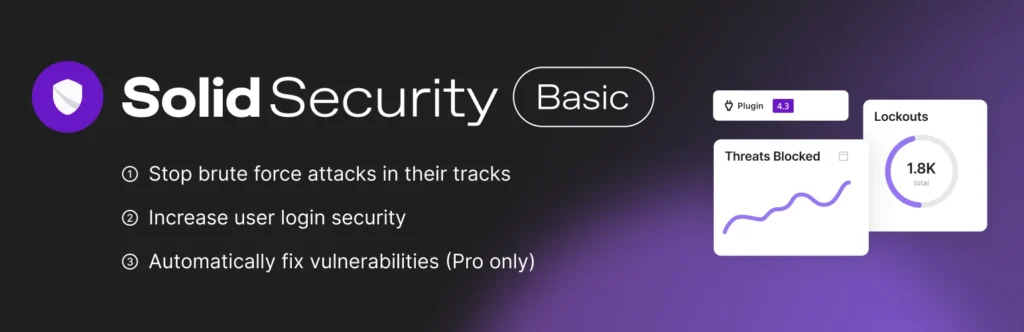
Solid Security doesn’t try to be a heavy-duty scanner like Wordfence. Instead, it focuses on “hardening”, fixing the structural weaknesses in WordPress that hackers love to exploit.
Brute Force Protection and User Action Logging
One of the most common ways sites get hacked is through brute force attacks (guessing your password thousands of times), making login protection and security a top priority. Solid Security is exceptionally good at stopping these. It also features one of the best “User Action Logs” and activity logs in the business. It tells you exactly who logged in, when, and what they changed. If an editor accidentally breaks something or a rogue user tries to delete a page, you’ll have a breadcrumb trail to follow.
Templates for Instant Site Hardening
For beginners, security can be intimidating. Solid Security uses “Security Templates”. Whether you’re running a small blog, an e-commerce store, or a portfolio, you can apply a pre-configured set of security settings with one click. It handles the “boring” but vital stuff: changing the default “admin” username, hiding backend vulnerabilities, implementing CAPTCHA, and forcing strong passwords.
The User Experience (UX) Advantage
Solid Security has perhaps the cleanest, most modern interface of any security plugin. It avoids the “scare tactics” and cluttered dashboards often found in this industry, making it a favourite for those who want professional-grade security without needing a degree in cybersecurity to navigate the settings.
4. MalCare
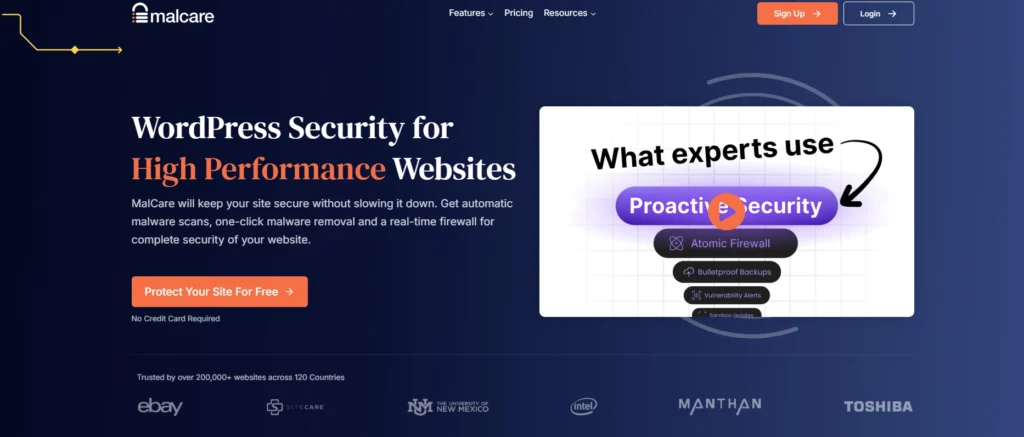
MalCare was built by the team behind BlogVault (a leading backup service), and that heritage shows. Their philosophy is built on two things: accuracy and speed of recovery.
Cloud-Based Scanning That Won’t Slow You Down
Like Sucuri, MalCare does the heavy lifting off-site. It copies your site’s files to its own servers and scans them there. This means you get a deep, thorough scan without your website feeling sluggish.
The Best Instant Malware Removal Process
Most plugins will tell you that you’re infected, but then they leave you with a list of “scary files” and no idea what to do next. MalCare’s “Auto-Clean” feature is arguably the best in the industry. It can surgically remove malicious code from your database and files in less than a minute, without breaking your site.
Perfect for Agencies and Multi-Site Owners
If you manage 20 different WordPress websites, you don’t want to log into 20 different dashboards. MalCare’s central dashboard allows you to see each site’s security status in one place, making it the “efficient choice” for freelancers and agencies.
5. NinjaFirewall

While not as famous as Wordfence, NinjaFirewall is a cult favourite among developers and performance junkies.
How it Hooks into PHP Before WordPress Even Loads
Most WordPress plugins load after WordPress starts running. NinjaFirewall is different. It uses a script called auto_prepend_file to load before any other script on your site. This means it can intercept and block a malicious request before a single line of WordPress code is even executed.
Unparalleled Efficiency and Low Overhead
Because it sits “in front” of WordPress, it is incredibly lightweight. It uses almost no resources and offers protection that is usually only found in expensive hardware firewalls. It’s a “firewall’s firewall.”
The Learning Curve: Is it Right for You?
The downside? It’s not the most user-friendly. The interface looks a bit dated, and the installation process can be a bit more technical than “click and activate.” If you are a developer who wants maximum protection with zero bloat, this is your tool. If you’re a beginner, you might find it a bit daunting.
6. All-In-One Security (AIOS)

If you are on a tight budget but still want comprehensive protection, AIOS is the community favourite. It is 100% free and open-source, with no “locked” features or “premium only” buttons cluttering the screen.
Feature-Rich Protection Without the Premium Tag
AIOS uses a “points” system to show you how secure your site is, measuring everything from firewall protection to login security. It covers everything from firewall rules and brute force protection to “honeypot” registration forms (which trick bots into revealing themselves). It’s an incredible amount of value for zero dollars.
User Identity and Content Protection Features
Unique to AIOS are features that protect your content, such as preventing people from right-clicking and “stealing” your images or copy-pasting your text. While not strictly “malware” protection, these features are highly valued by photographers and writers who want to protect their intellectual property.
7. Patchstack
Patchstack is the “new kid on the block” that has completely changed how experts think about security. While other plugins look for malware (the result of a hack), Patchstack looks for vulnerabilities (the cause of a hack).
Focusing on Plugin and Theme Vulnerabilities
Over 90% of WordPress hacks happen through vulnerabilities in third-party plugins and themes. Patchstack maintains a massive database of these “bugs.” If you are running a version of a plugin that has a known hole, Patchstack will alert you immediately via real-time notifications.
Auto-Patching: Why Speed to Fix Matters
The coolest part of Patchstack is “vPatching.” When a new vulnerability is discovered, it can take a developer days or weeks to release an update. Patchstack can “virtually patch” your site instantly, creating a temporary firewall rule that blocks attempts to exploit that specific bug until the official update is ready. It’s like putting a temporary bandage over a wound until you can get to the doctor.
The “Best of” Breakdown: Choosing Based on Your Needs
Selecting a plugin is like choosing a car; the “best” one depends on where you’re driving.
Best for High-Traffic Sites
Sucuri. When you have thousands of visitors per hour, you cannot afford the server load of an on-site scanner. Sucuri’s cloud firewall keeps the bad guys away and the site speed is high.
Best for Beginners and Blogs
Wordfence (Free) or Solid Security. Wordfence provides “heavy” protection right out of the box, while Solid Security makes it easy to “lock the doors” without needing a technical manual.
Best for E-commerce and WooCommerce
MalCare. E-commerce sites are high-value targets. You need the deep scanning and “one-click” removal that MalCare provides to ensure your customer data remains safe and your store never goes offline.
Best for Agencies Managing Multiple Clients
MalCare or Patchstack. Both offer centralized dashboards that allow you to monitor dozens of sites from a single screen, saving you hours of manual checking every week.
Why You Might Need More Than One Tool
In the professional world, we rarely use just one plugin. However, you have to be careful.
Complementary Plugins vs. Plugin Conflicts
You should never run two firewalls at once (e.g., Wordfence and NinjaFirewall). They will fight over who gets to block the traffic, often leading to your site crashing or you being locked out of your own dashboard.
However, you can use “complementary” tools. A common “Expert Stack” might look like this:
- Cloudflare (Free DNS-level protection).
- Patchstack (To monitor for plugin vulnerabilities).
- Solid Security (To harden the site and manage user logs).
The Role of Managed Hosting Security
If you are using a high-end managed WordPress host (like WP Engine, Kinsta, or SiteGround), they often provide their own firewall and malware scanning. In many cases, these hosts actually ban certain security plugins because they conflict with the host’s built-in tools. Always check with your host before installing a heavy security suite.
Essential Security Best Practices
A plugin is a tool, not a miracle. To be truly secure, you need to adopt a few healthy habits. Treat security as part of your regular website maintenance checklist, not a one-time plugin installation.
The Power of Strong Passwords and 2FA
Most hacks aren’t “Mission Impossible” style bypasses; they are “I guessed your password because it was your dog’s name.” Use a password manager and always enable Two-Factor Authentication (2FA). Even if a hacker steals your password, they can’t get in without the code from your phone.
Keeping Your Core, Plugins, and Themes Lean
Every plugin you install is a potential “open window.” If you aren’t using a plugin, delete it. Don’t just deactivate it, delete it. Keep everything updated. An outdated plugin is an invitation for an automated bot to move in.
Why Your Hosting Provider is Your First Line of Defence
Cheap, “bottom-of-the-barrel” hosting often lacks basic server-level isolation. This means if another site on your shared server gets hacked, yours might too. Investing an extra $10 a month in quality hosting is often the single best security move you can make.
Developing a Robust Backup and Disaster Recovery Plan
If everything goes wrong, if a “Zero Day” exploit hits and your site is wiped, your backup is your “Undo” button. Use a service like BlogVault or UpdraftPlus to store database backups off-site (not on your web server). If your server burns down, you should be able to restore your site to a new host in minutes.
Frequently Asked Questions About WordPress Security
Do security plugins slow down my website?
They can. Plugins like Wordfence that run scans on your server use resources. However, the “slowdown” is usually negligible compared to the “slowdown” of being hacked and having your site used to send millions of spam emails. For maximum speed, use a cloud-based WAF like Sucuri or MalCare.
Can I use two security plugins at the same time?
Generally, no. Specifically, don’t use two firewalls or two malware scanners. You can, however, use a “hardening” plugin (like Solid Security) alongside a “vulnerability monitor” (like Patchstack).
Is the free version of Wordfence enough?
For most small blogs and personal sites, yes. The main difference is the “Real-time” aspect. Free users get firewall rules 30 days after premium users. If a major new threat emerges, free users are “exposed” for a month, while premium users are protected instantly.
What should I do if my site is already hacked?
Don’t panic. First, change your hosting password. Second, don’t try to delete files randomly; you might break the site. If you have a budget, hire Sucuri or use MalCare’s one-click clean. If not, use the “Wordfence Learning Mode” and their “Extended Scan” to try and identify the infected files.
Final Verdict: What Should You Install Today?
If you want the most “complete” protection and don’t mind a slight learning curve, install Wordfence. It is the industry standard for a reason.
If you have a business site where speed is your #1 priority, go with Sucuri. The peace of mind and performance boost are worth every penny.
If you are a minimalist who wants to lock down your site and then get back to writing, choose Solid Security.
Remember: No plugin makes you 100% unhackable. Security is a process, not a product. But by choosing one of these vetted tools and following the “layered defence” philosophy, you are making your site a much harder target, and in the world of the internet, that is often more than enough to keep the bots moving on to someone else.
Need help keeping your WordPress website secure, fast and ready to support your digital marketing goals? Contact ZipZipe for expert website support, SEO and digital marketing solutions.